Amili for Chrome
Amili next to whatever you are reading.
The Chrome extension opens Amili in the side panel of your browser. Found something you want to keep or act on? Right-click and send it to Amili. No copying links into a chat, no switching tabs.
Available now as a direct download
Version 0.1.1 · 7 KB zip · Chrome on Mac, Windows or Linux. Using it needs an Amili account, and sign-in needs a beta invite for now. Join the beta.
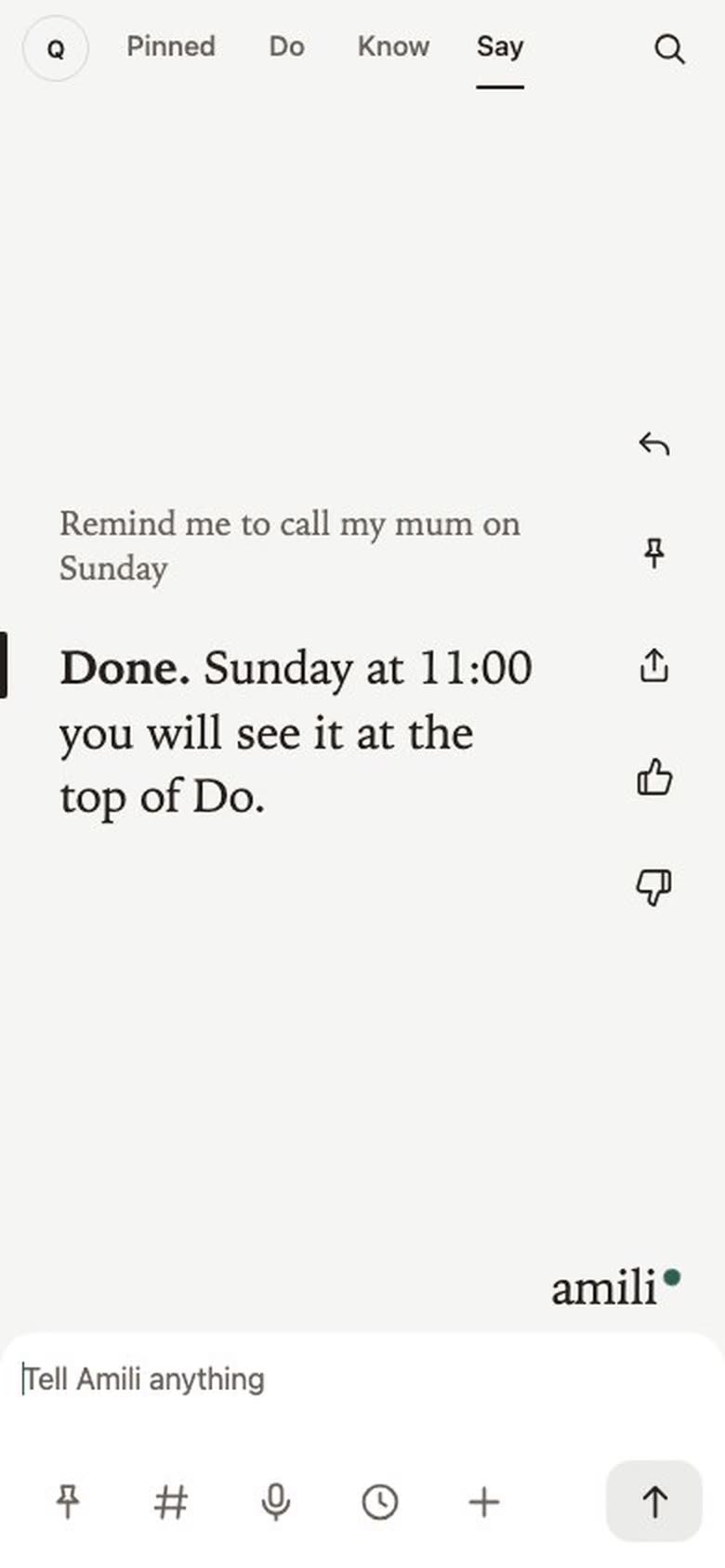
What it looks like.
Install it in four steps.
About two minutes. Until the extension is in the Chrome Web Store, you load it yourself from the download. The pictures are drawn to match what Chrome shows.
-
Download and unzip
Download the zip and open it. You get a folder called
amili-chrome. Keep it somewhere it can stay, because Chrome loads the extension from that folder.amili-chrome-0.1.1.zip→amili-chrome -
Open the extensions page
Type
chrome://extensionsin the address bar and press Enter. You can also get there from the menu: Extensions, then Manage Extensions.Extensions -
Turn on Developer mode
Switch on Developer mode, top right. Three buttons appear, one of them Load unpacked.
ExtensionsDeveloper modeLoad unpackedPack extensionUpdate -
Load unpacked
Click Load unpacked and pick the
amili-chromefolder. Amili appears in the list. Pin it from the puzzle icon in the toolbar, then click it to open the side panel.Load unpacked Amili0.1.1
Chrome may show a note about extensions in Developer mode. That is normal for anything loaded this way. A downloaded copy does not update itself: when a new version is out, download it again and click the reload arrow on the Amili card. The Web Store version will update on its own.
What it does.
Side panel
Click the Amili button in your toolbar and the app opens beside the page. Say, Do and Know, the same as on your phone.
Send the page
Right-click anywhere and choose "Send this page to Amili". The title and the link arrive as a thought.
Send a selection
Select a few words first, and they travel with it. Right-click a link to send that link instead.
What it reads, and when.
Only when you right-click and choose "Send this page to Amili". Then it takes three things: the page title, the address, and the words you selected, if any.
It does not read pages in the background, does not see your history, and does not run anything inside the sites you visit.
- Two Chrome permissions: the side panel and the right-click menu. Nothing else.
- One address it talks to: the Amili app, with your own sign-in.
- No tracking, no ads, and nothing sold. What you send is kept like anything else you tell Amili.
Full details on the privacy page.
Do I need an account?
Yes. Anyone can install the extension, but the side panel is the Amili app, so you sign in to use it. Sign-in needs a beta invite for now. The private beta opens 14 October, ten people first.
The Chrome Web Store version is coming. It is the same extension, and it will update itself. Join the beta and you hear about both first.